Static Site AWS CICD Pipeline
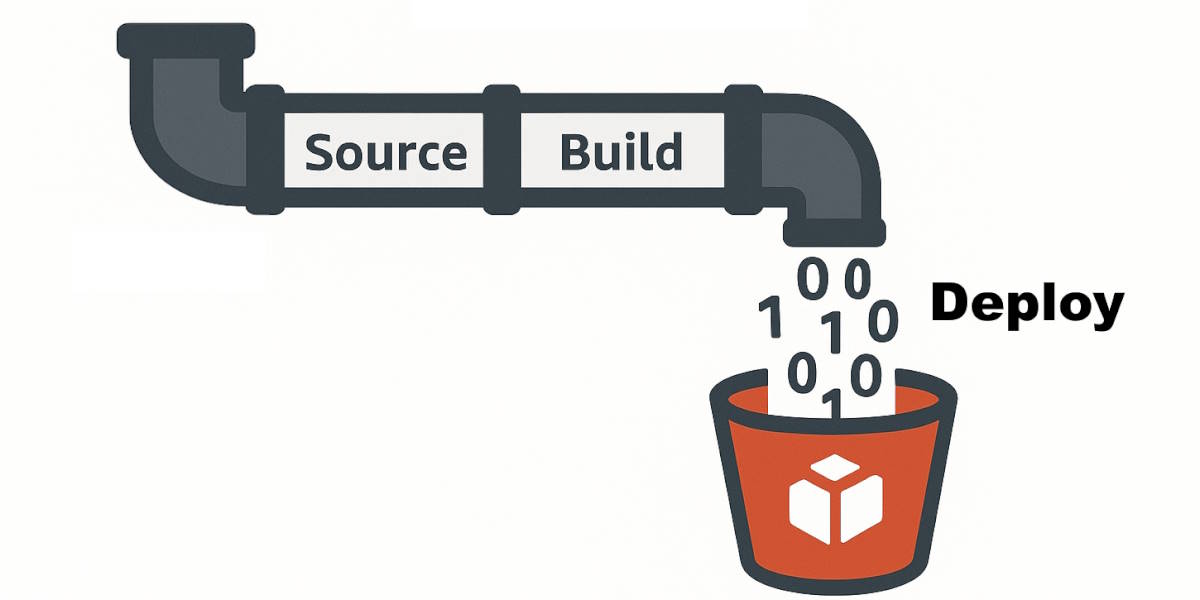
In this article, I document the current CI/CD pipeline and process I use to automate the build and deployment of Nuxt static sites to AWS S3. The goal is to create a cost-effective and efficient deployment process suitable for a solo developer who has multiple content sites to publish and manage.
This assumes that you have already have setup the Cloud Infrastructure, which includes a staging and production S3 bucket, CloudFront distribution, Route 53 DNS records, and production ACM SSL certificate. If you need help setting up the cloud infrastructure, please see my Static Site AWS S3 Cloud Infrastructure how-to guide.
CI/CD Pipeline Overview
The CI/CD pipeline is designed to automate the process of building and deploying Nuxt static sites to AWS S3 buckets. The pipeline consists of the following stages:
- Pre-check: Site generates successfully, tests run successfully, and compares new
sitemap.xmlto current site usingsitemap-diffto ensure no zombie links and new routes are expected. - Source: Moves the the source code from a git repository into AWS CodeSource
- Build: Generates the static site from the source code on a temporary AWS EC2 build machine using AWS CodeBuild. The build process is defined in the
buildspec.ymlfile, which includes installing dependencies, generating the static site, and preparing it for deployment. - Deploy to Staging Site: Using AWS CodeBuild, the generated static site is deployed to the staging S3 bucket first
Review and Deploy to Production Site
- Review: After deploy to staging site, I (and others) review the staging site to ensure everything looks good.
- Deploy to Production Site: After approving the staging site, deploy the staging S3 bucket to the production S3 bucket and invalidate the CloudFront cache to ensure the latest content is served to readers.
Pipeline Tech List
- Nuxt.js
- NPM
- nuxtss-s3-fix
- sitemap-diff
- Amazon AWS CodePipeline, includes CodeSource and CodeBuild
Project Setup
NPM Packages Setup
I use two additional NPM packages to help with the deployment process:
- nuxtss-s3-fix: This package helps optimizes Nuxt static sites in an S3 bucket
- Installation:
npm install @pennockprojects/nuxtss-s3-fix --save-dev
- Installation:
- sitemap-diff: This package compares two sitemap.xml files to identify any broken links or discrepancies between the local build and the live site.
- Installation:
npm install @pennockprojects/sitemap-diff --save-dev
- Installation:
NPM Script Setup
To facilitate the deployment process, I use NPM scripts defined in the package.json file. These scripts handle tasks such as syncing files to S3 buckets and invalidating CloudFront caches. Below is an example of how to set up these scripts:
{
  "scripts": {
    "generate": "nuxt generate",
    "test": "npm run lint && npm run test:unit",
    "precheck:prod": "npm run test && npm run generate && npm run diff:local:prod",
    "diff:local:prod": "npx sitemap-diff .output/public/sitemap.xml https://pennockprojects.com/sitemap.xml",
    "deploy:build:stage": "aws s3 sync .output/public s3://stage_site.pennockprojects.com --delete",
    "fix:stage": "npx nuxtss-s3-fix s3://stage_site.pennockprojects.com -e",
    "deploy:stage:prod": "aws s3 sync s3://stage_site.pennockprojects.com s3://pennockprojects.com --delete",
    "invalidate:prod": "aws cloudfront create-invalidation --distribution-id XXXXXXXXX --paths '/*'",
    "clean:stage": "aws s3 rm s3://stage_site.pennockprojects.com --recursive"
  }
}
- generate: Generates the static site using Nuxt.js.
- test: Runs linting and unit tests to ensure code quality.
- precheck:prod: Performs pre-deployment checks, including running tests, generating the site, and comparing the local sitemap with the production sitemap using
sitemap-diff. - diff:local:prod: Compares the local
sitemap.xmlwith the production sitemap to identify any discrepancies - deploy:build:stage: Syncs the generated static site to the staging S3 bucket
- fix:stage: Optimizes the Nuxt static site in the staging S3 bucket using
nuxtss-s3-fix. - deploy:stage:prod: Syncs the staging S3 bucket to the production S3 bucket.
- clean:stage: Cleans up the staging S3 bucket by removing all files.
Development Script Setup
- These scripts are useful for local development and testing before pushing changes to the CI/CD pipeline.
{
  "scripts": {
    "dev": "nuxt dev",
    "clean:dev": "aws s3 rm s3://dev_site.pennockprojects.com --recursive",
    "copy:build:dev": "aws s3 sync .output/public s3://dev_site.pennockprojects.com --delete",
    "fix:dev": "npx nuxtss-s3-fix s3://dev_site.pennockprojects.com -e -2",
  }
}
- dev: Starts the Nuxt development server for local testing.
- clean:dev: Cleans up the development S3 bucket by removing all files.
- copy:build:dev: Syncs the generated static site to the development S3 bucket.
- fix:dev: Optimizes the Nuxt static site in the development S3 bucket using
nuxtss-s3-fix.
buildspec.yml Setup
During the pipeline Build stage AWS CodeBuild requisitions an EC2 build machine, makes sure it has a proper image and software, and syncs the project source code from the Source stage_site. It will then read the buildspec.yml file in the root of your source code. Following the instructions in the phases section.
version: 0.2

phases:
  install:
    runtime-versions:
      nodejs: 20
    commands:
      - echo Install started on `date`
      - npm install
  build:
    on-failure: ABORT
    commands:
      - echo Build started on `date`
      - npm run generate
  post_build:
    on-failure: ABORT
    commands:
      - echo ----- post_build DEPLOY build to stage site on `date` -----
      - npm run deploy:build:stage
      - echo ----- post_build FIX stage site on `date` -----
      - npm run fix:stage
artifacts:
  files:
    - '**/*'
  base-directory: '.output/public'
This buildspec.yml script file defines actions in three phases:
- Install Phase: Insures that Node.js and NPM is in the image and then installs the necessary dependencies using NPM.
- Build Phase: Runs the
generateNPM script to build the static site. Files are output to the.output/publicdirectory. - Post Build Phase: Deploys the built static site to the staging S3 bucket and runs the
nuxtss-s3-fixoptimization on the staging bucket.
Cloud Pipeline Setup
The following steps outline how to set up the CI/CD pipeline using AWS CodePipeline, CodeSource, and CodeBuild.
Create a CodePipeline
I performed this on 11/21/2025 using the AWS Console, the steps may change over time as AWS updates their console and services.
From AWS Console, choose your local region (for me this is us-west-2), find CodePipeline AWS Service and then choose Create pipeline button.
| Field | State | Step |
|---|---|---|
| Category | Build custom pipeline | 1 of 7 |
| Pipeline name | (create a unique name for your pipeline) | 2 of 7 |
| Execution mode | Queued | 2 of 7 |
| Service role | New service role | 2 of 7 |
| Role Name | (pick your unique name) | 2 of 7 |
| Allow AWS CodePipeline to create AWS resources | Checked | 2 of 7 |
| Source Provider | GitHub (via GitHub App) | 3 of 7 |
| Connection | Use existing or choose Connect to GitHub | 3 of 7 |
| Repository name | (pick your repo) | 3 of 7 |
| Default branch | (pick your branch) | 3 of 7 |
| Output artifact format | CodePipeline default | 3 of 7 |
| Enable automatic retry | Checked | 3 of 7 |
| Webhook events push pull | Checked | 3 of 7 |
| Build provider - Other | AWS CodeBuild | 4 of 7 |
| Create Project | Choose Create Project | 4 of 7 |
You will be in a new tab to create a new CodeBuild project.
CodeBuild Build Project
Create Project CodeBuild fields and state.
| Field | State |
|---|---|
| Project name | (pick a project name) |
| Project Type | Default |
| Environment Provisioning model | On-demand |
| Environment image | Managed image |
| Running Mode | Container |
| Operating system | Amazon Linux |
| Runtime | Standard |
| Image | aws/codebuild/amazonlinux2-x86_64-standard:5.0 |
| Image Version | Always use the latest image for this runtime version |
| New service role | (pick a unique name) |
| Role name | (pick a unique name) |
| Buildspec Build specifications | Use a Buildspec file |
| Buildspec name | (leave blank or buildspec.yml) |
| CloudWatch Logs | Enabled |
After creating the CodeBuild project, return to the CodePipeline tab to finish creating the pipeline.
Continue CodePipeline
| Field | State | Step |
|---|---|---|
| Single build | Checked | 4 of 7 |
| Region | (pick your region) | 4 of 7 |
| Input artifacts | SourceArtifact (from the GitHub sync above) | |
| Automatic retry | Checked | 4 of 7 |
| Add test stage | Skip test stage (we do in build stage) | 5 of 7 |
| Add deploy stage | Skip deploy stage (we do deploy in build stage) | 6 of 7 |
| Review | Confirm all settings | 7 of 7 |
Finally, choose Create pipeline button. The pipeline will be created and start the first run.
Build Role Upgrade
When I attempted to set up a CI/CD pipeline using AWS CodePipeline and S3 buckets for hosting static websites, I encountered permission issues working with the stage site. To resolve these, I had to adjust the IAM role policies associated with the CodePipeline service.
Here is the error I faced:
> deploy:build:stage
> aws s3 sync .output/public s3://stage_site.pennockprojects.com --delete

fatal error: An error occurred (AccessDenied) when calling the ListObjectsV2 operation: User: arn:aws:sts::XXXXXXXXX:assumed-role/pennock-projects-blog-codebuild-service-role/AWSCodeBuild-XXXXX is not authorized to perform: s3:ListBucket on resource: "arn:aws:s3:::stage_site.pennockprojects.com" because no identity-based policy allows the s3:ListBucket action
To fix this issue, I updated the IAM role policy to include the necessary S3 permissions.
- Go to IAM service AWS Console page
- Choose
Roles - Choose your CodeBuild Build Project role name (not the pipeline role, the build role)
- Under the
Permissionstab, choose your Policy name - On Policy page, under its
Permissionstab, chooseJSON - Choose
Edit
One of the object blocks should contain policy to allow access the codepipeline S3 (CodePipeline uses S3 to pass the artifacts between stages) For example, mine was a middle object in the Statement array that looked like this.
{
    "Version": "2012-10-17",
    "Statement": [
        {
          // snip
        },
        {
            "Effect": "Allow",
            "Resource": [
                "arn:aws:s3:::codepipeline-us-west-2-*"
            ],
            "Action": [
                "s3:PutObject",
                "s3:GetObject",
                "s3:GetObjectVersion",
                "s3:GetBucketAcl",
                "s3:GetBucketLocation"
            ]
        },
        {
          // snip
        }
    ]
}
The following policy block should be added to the role policy. This allows the EC2 build machine service role to have permission to access each S3 bucket. For each S3 bucket, add two S3 bucket ARNs in the Resource array.
- regular arn, e.g.
"arn:aws:s3:::stage_site.pennockprojects.com" - ARN appended with
/*for individual object access, e.g."arn:aws:s3:::stage_site.pennockprojects.com/*"
The additional actions "s3:ListBucket", "s3:DeleteObject" are needed for the sync command and nuxtss-s3-fix to work properly.
{
  "Effect": "Allow",
  "Resource": [
    "arn:aws:s3:::stage_site.pennockprojects.com",
    "arn:aws:s3:::stage_site.pennockprojects.com/*"
  ],
  "Action": [
    "s3:PutObject",
    "s3:GetObject",
    "s3:GetObjectVersion",
    "s3:GetBucketAcl",
    "s3:GetBucketLocation",
    "s3:ListBucket",
    "s3:DeleteObject"
  ]
}
I like to keep my S3 access permissions together, so add your specific block below the current pipeline S3 object.
e.g.
{
    "Version": "2012-10-17",
    "Statement": [
        {
          // snip
        },
        {
            "Effect": "Allow",
            "Resource": [
                "arn:aws:s3:::codepipeline-us-west-2-*"
            ],
            "Action": [
                "s3:PutObject",
                "s3:GetObject",
                "s3:GetObjectVersion",
                "s3:GetBucketAcl",
                "s3:GetBucketLocation"
            ]
        },
        {
          "Effect": "Allow",
          "Resource": [
            "arn:aws:s3:::stage_site.pennockprojects.com",
            "arn:aws:s3:::stage_site.pennockprojects.com/*"
          ],
          "Action": [
            "s3:PutObject",
            "s3:GetObject",
            "s3:GetObjectVersion",
            "s3:GetBucketAcl",
            "s3:GetBucketLocation",
            "s3:ListBucket",
            "s3:DeleteObject"
          ]
        },

        {
          // snip
        }
    ]
}
Also if you need to access the prod site with your policy you can do that here as well, but I don't run anything in the pipeline that needs to access the prod site, so I leave it out. I do those steps manually in my local AWS CLI so the permissions are set in my local AWS CLI context.
Pipeline Stages
Pre-check Stage
Before initiating the pipeline, I perform a pre-check to ensure that the site generates successfully, tests are run successfully, and compares the new sitemap.xml to the current site using sitemap-diff so I can ensure no broken links, or Zombie Links are accounted for, and that new routes I've created are as expected.
npm run precheck:prod
Source Stage
The source stage pulls the latest code from my GitHub repository into AWS CodeSource. This is the starting point for the pipeline. The pipeline is initiated automatically on code changes pushed to the repository repo branch. (Designated in the pipeline setup above).
Build Stage
In the build stage, AWS CodeBuild provisions a temporary EC2 build machine, makes sure it has the proper Nodejs using the runtime-versions of buildspec.yml, installs the necessary dependencies using the Install Phase of buildspec.yml, and generates the static site in the Build Phase of the buildspec.yml.
Deploying Build to Stage Site
In deploying the build to the stage_site, it actually occurs in the Post Build Phase of the buildspec.yml. Typically, deployment would be a separate stage in the pipeline, but for simplicity and cost-effectiveness, I handle it in the build stage when I have an EC2 build machine available. In this state, the built static site is deployed to the staging S3 bucket using the deploy:build:stage NPM script. After deployment, the fix:stage NPM script is run to optimize the Nuxt.js static site in the staging S3 bucket using nuxtss-s3-fix.
Review Stage
After deploying to the staging site, I (and others) review the staging site to ensure everything looks good. This manual review step helps catch any issues before deploying to production. I also invite interested parties to review the staging site, especially those who may not be as technically inclined, to ensure the content and layout meet expectations.1
Deploying Stage Site to Prod
When I'm satisfied with the stage site, I manually trigger the deploy to prod by invoking two NPM Scripts in my local AWS CLI context. 1
npm run deploy:stage:prod
npm run invalidate:prod
Conclusion
You now have the CICD pipeline required to deploy a static site on AWS. Here are further relevant guides for your next steps:
- JAMStart Nuxt.js Site Template for creating a static site with Nuxt.js
- Static Site AWS S3 Cloud Infrastructure for creating an automated pipeline to deploy your site to production.
Footnotes
- I could automate this and create an approval stage and a deploy stage in AWS CodePipeline, but I like having a a stage review and I did not want to spin up a new EC2 instance or lambda to just copy the stage bucket to the prod bucket. It works for my use case as a solo developer with my content sites and keeps the infrastructure simple and cost-effective. It's close to 'fat finger-free` process, because there is no local code or build involved. It is using the automated build and the files that were reviewed. processes, merely syncs buckets and invalidates the prod CloudFront cache. The local AWS CLI must have proper permissions to succeed. ↩ ↩2